 English
  Português
 Español

How it’s done 1) Go to the “Videos” tab On the left side menu, click on the “Videos” tab...

How it’s done 1) Access the “Channels” tab In the left side menu, click on the “Channels” tab within...
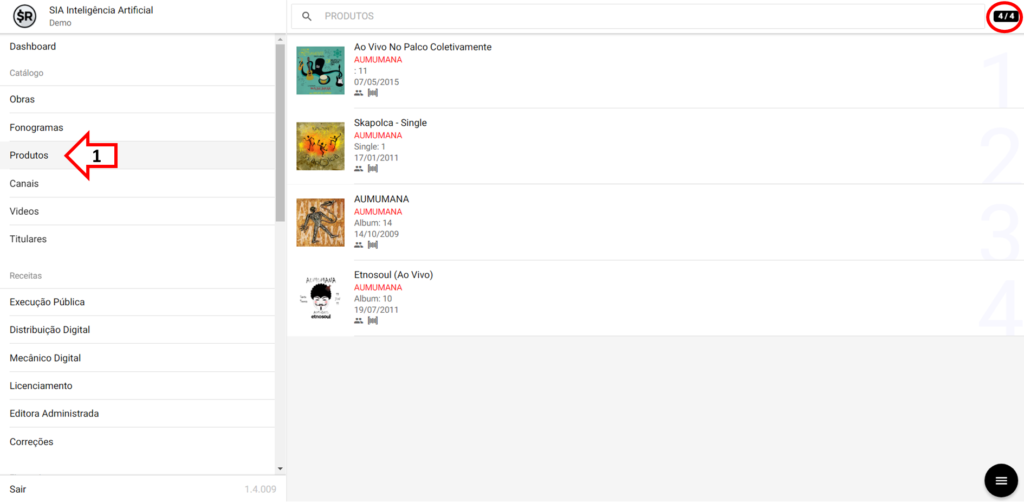
How it’s done 1) Access the “Products” tab In the left side menu, click on the “Products” tab within...

How It’s Done 1) Access the tab “Recordings” In the left side menu, click on the “Recordings” tab within...
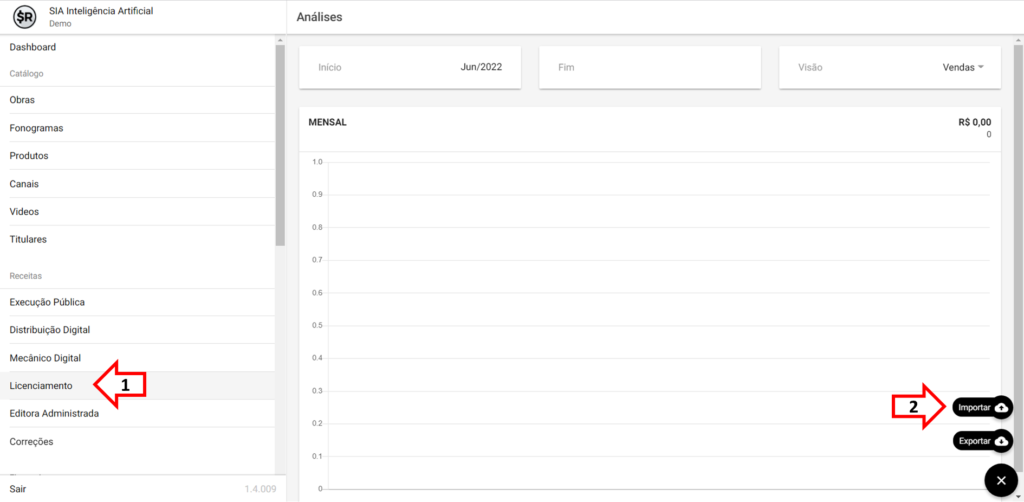
How it’s done 1) Go to the “Licensing” section Go to the “Licensing” section in the “Incomes” section, and...

How it’s done 1) Access the Contracts tab When accessing the Smart Rights system, you will be directed to...

How to do it 1) Open the D4sign developer area When accessing the D4Sign user area, click on the...

How to do it 1) Access the “Settings” tab When accessing the Smart Rights user area, open the “Settings”...
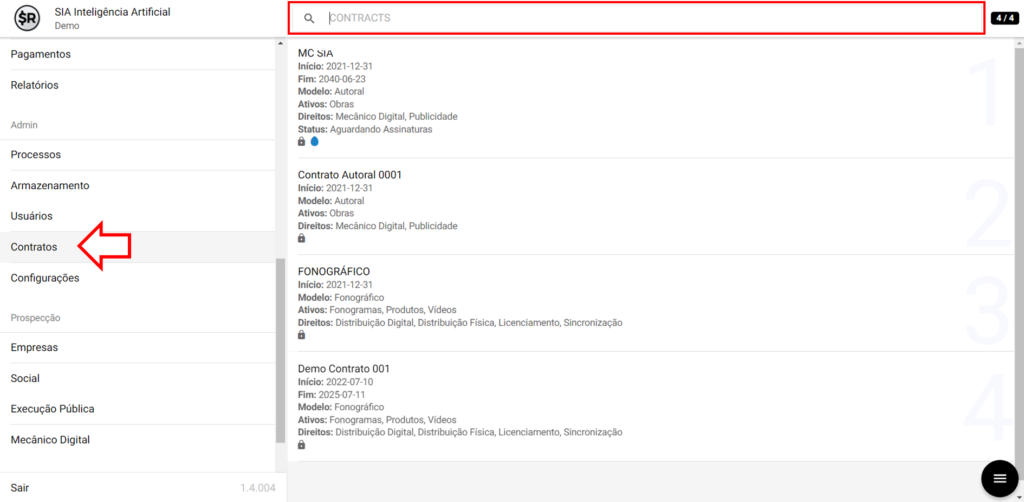
How it’s done 1) Access the “Contracts” section When accessing the Smart Rights system, select the “Contracts” tab (1)...

How it’s done 1) Access the “Contracts” section When accessing the Smart Rights system, select the “Contracts” tab (1)...

You must be logged in to post a comment.